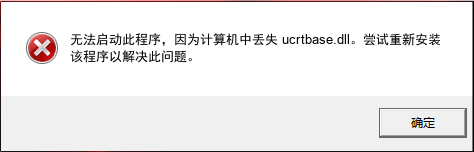
ucrtbase.dll is a critical system file in the Windows operating system, forming a core part of the Universal C Runtime Library. This DLL file is essential for the execution of C applications built using Visual Studio 2015 and later. It provides necessary functions related to C environment such as mathematics operations, string manipulations, and memory allocation. When ucrtbase.dll is missing, damaged, or corrupted, it can lead to various runtime errors, application failures, or system crashes, significantly affecting user experience and system stability.
How to Freely Fix Common Issues with ucrtbase.dll
Method 1: Using Windows System File Checker
The System File Checker (SFC) is a utility in Windows that allows users to scan for corruptions in Windows system files and restore corrupted files. Here is how you can use SFC to fix issues with ucrtbase.dll:
- Press the Windows key + X and click on Command Prompt (Admin) to open an elevated Command Prompt.
- Type
sfc /scannowand press Enter. - The tool will start a system scan. Wait for the process to complete. If any issues are found, SFC will attempt to fix them automatically.
- Once the scan is complete, restart your computer to apply the changes.
Note: Ensure that your system is updated to the latest version before running the SFC command to avoid conflicts with system files.
Method 2: Reinstalling the Affected Application
Sometimes, simply reinstalling the application that gives the error related to ucrtbase.dll can resolve the issue. Follow these steps:
- Go to Control Panel > Programs > Programs and Features.
- Find the application in the list, select it, and click on Uninstall.
- After the uninstallation is complete, reinstall the application from the original installation source (CD, digital download, etc.).
- Run the application to see if the issue has been resolved.
Note: Make sure to download or install the application from a reliable source to prevent any security risks.
????????以上兩種修復(fù)方案,操作比較繁瑣,對新手和普通用戶,非常不友好。
小編推薦使用:毒霸電腦醫(yī)生-DLL修復(fù)工具,一鍵智能診斷、自動修復(fù),完全免費。
具體操作如下:
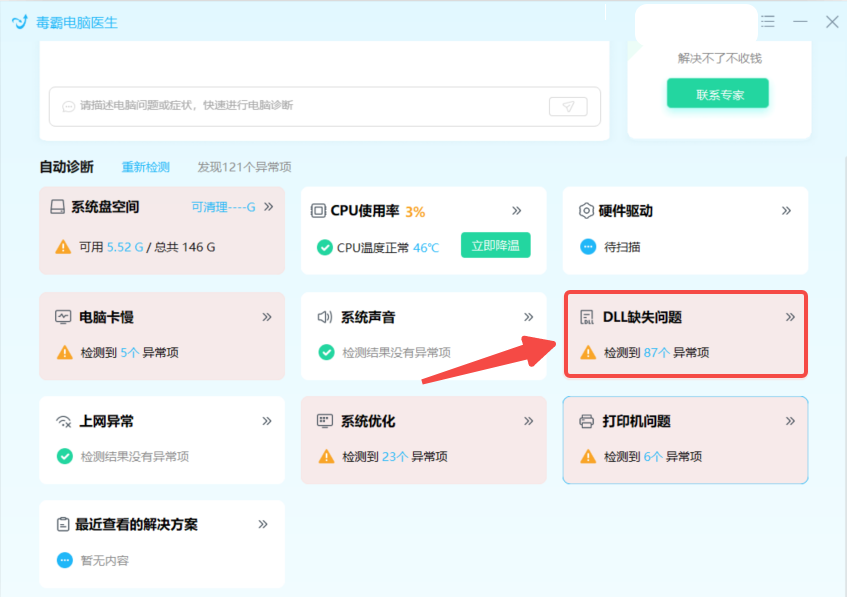
2、安裝并啟動軟件,點擊“DLL缺失問題”
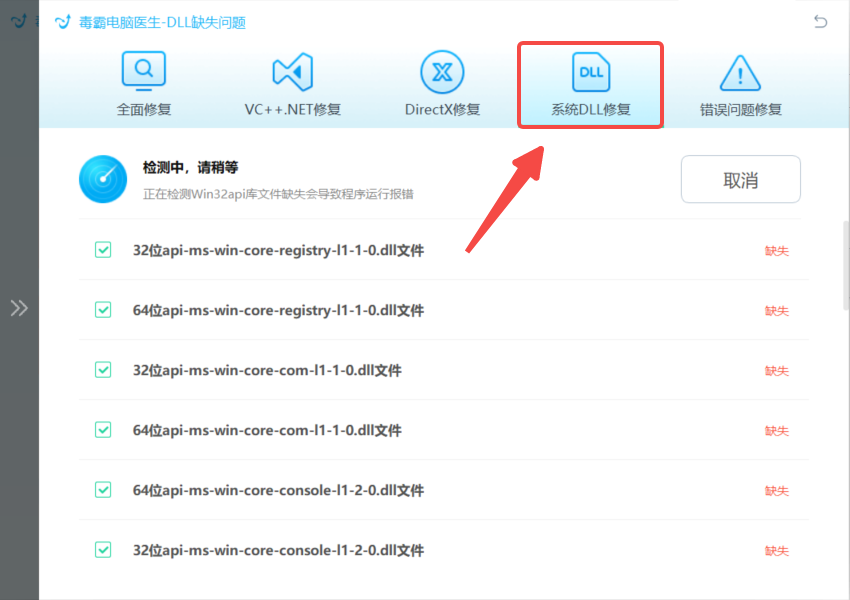
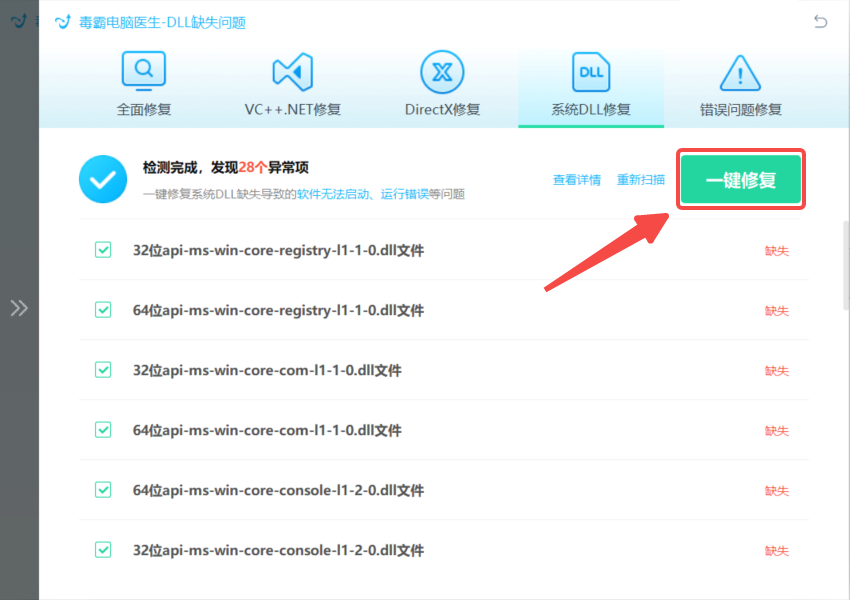
如果上述操作還存在異常,可以聯(lián)系右上角的“專家診斷”,由資深電腦問題專家“一對一”解決各種電腦問題。
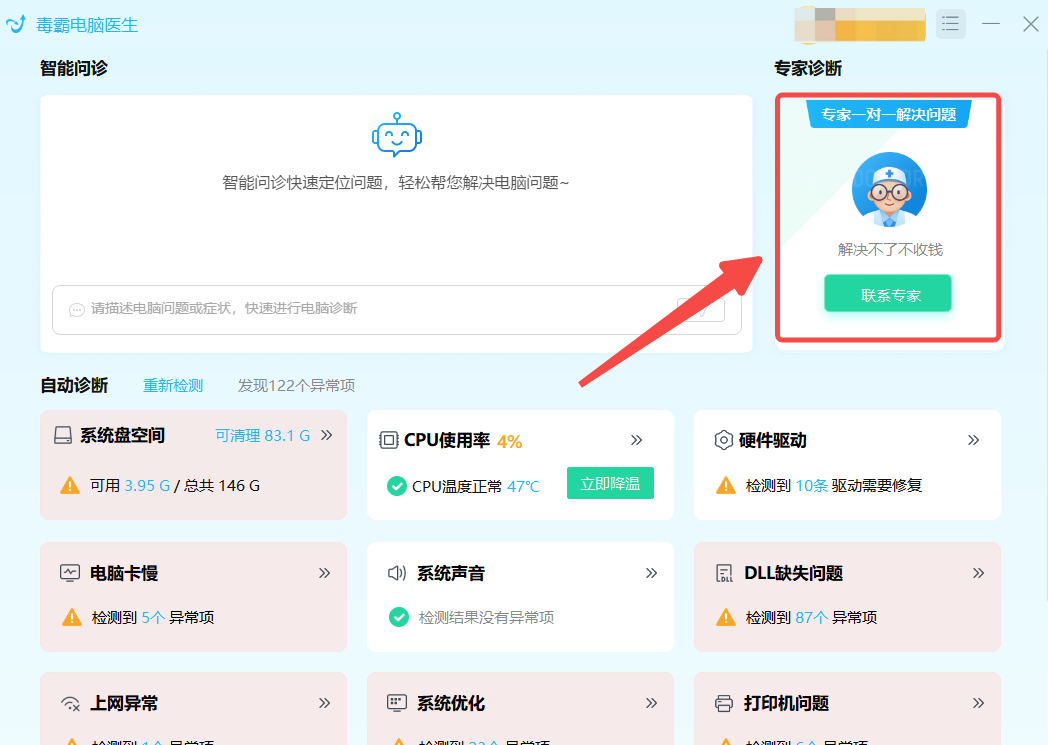
如果在日常使用電腦的過程中,遇到C盤爆滿、電腦卡頓、黑屏、沒有聲音、無法正常聯(lián)網(wǎng)、DLL文件缺失等問題,都可以使用金山毒霸“電腦醫(yī)生”一鍵診斷,一鍵修復(fù)。